Various general functions that are used, for example, to increase the clarity of tables or quickly switch between sections are available to you in Tax Balance.
This article describes these functions in Tax Balance.
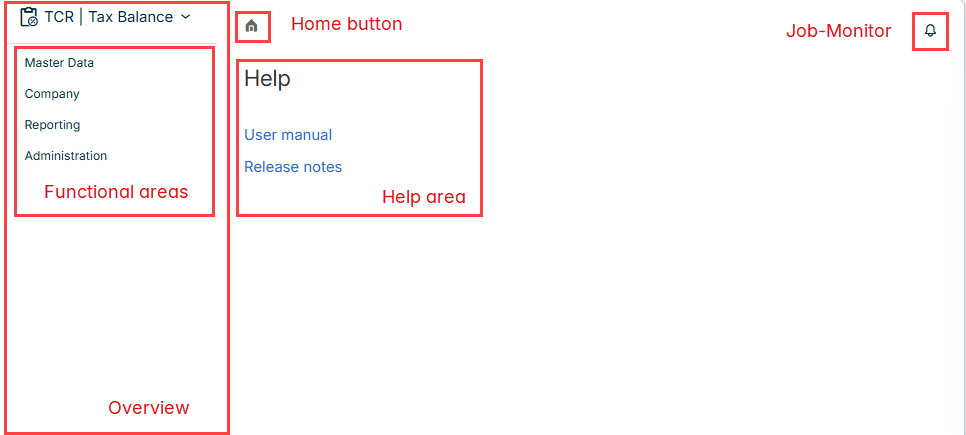
The start page is displayed, for example, as follows after opening the Tax Balance solution. The following elements are available on the start page in Tax Balance:
Contains the functional areas in which the tax balance sheet is configured, entered, reported, and transmitted in what are referred to as workspaces. The following functional areas are available in Tax Balance:
The following general functions are available in Tax Balance:
You can use the three-dot menu in the header row of a table, depending on the area you are in to, for example:
Sort column content
Show and hide columns
Filter columns by specific criteria
You can use the blue arrows displayed in certain table headers to sort the column content in ascending or descending order.
Sorting columns
When you hover the mouse pointer over a certain row, the icon for deleting the respective row appears.
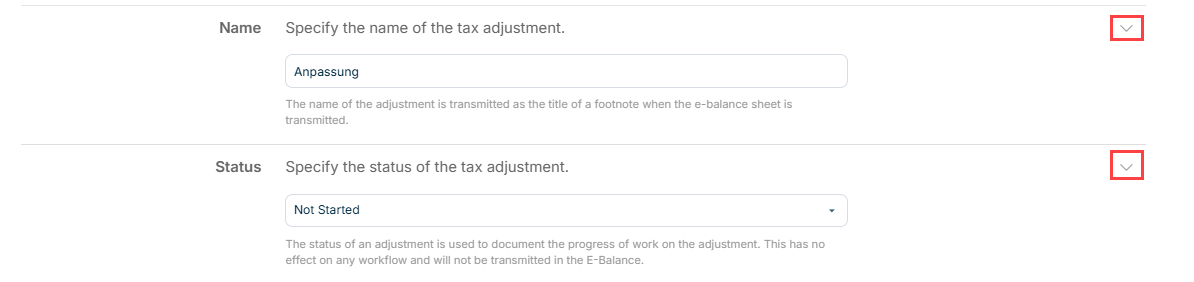
You can use the arrows displayed in input dialogs to show or hide the fields to be edited and, if present, detailed information on the required entries.
Showing and hiding details
This content was generated using AI and reviewed by Lucanet subject matter experts before publication.