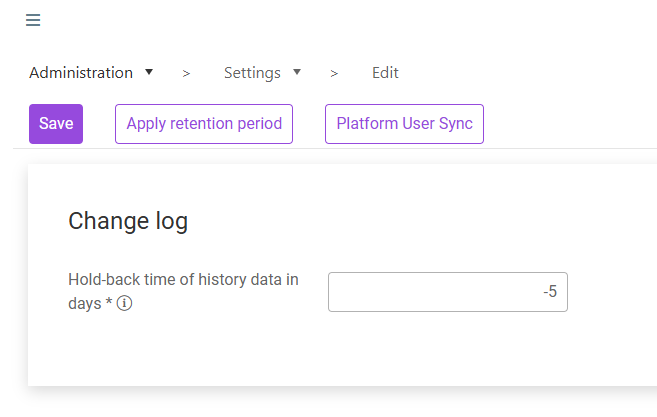
The Change log section controls how long historical entries are retained.
The Hold-back time of history data in days is the number of days after which change log entries become eligible for deletion. If you enter 10, for example, change log entries are deleted after 10 days. Set the value to -1 to keep change log history indefinitely (default).
To change the retention period, proceed as follows:
1
Enter the desired retention period in Hold-back time of history data in days, or enter -1 to keep history indefinitely.
2
Click Save to store the new value.
3
To purge change-log entries that are now older than the configured retention period, click Apply retention period.
Apply retention period permanently deletes change-log entries older than the configured retention period across every workspace that maintains a change log (Roles, Role allocation, Certificates, Units, Organisational structures, and any other workspace with a Change log button). The action cannot be undone.
Use a value of -1 when audit or compliance requirements mandate that the change log must be kept indefinitely.
This content was generated using AI and reviewed by Lucanet subject matter experts before publication.