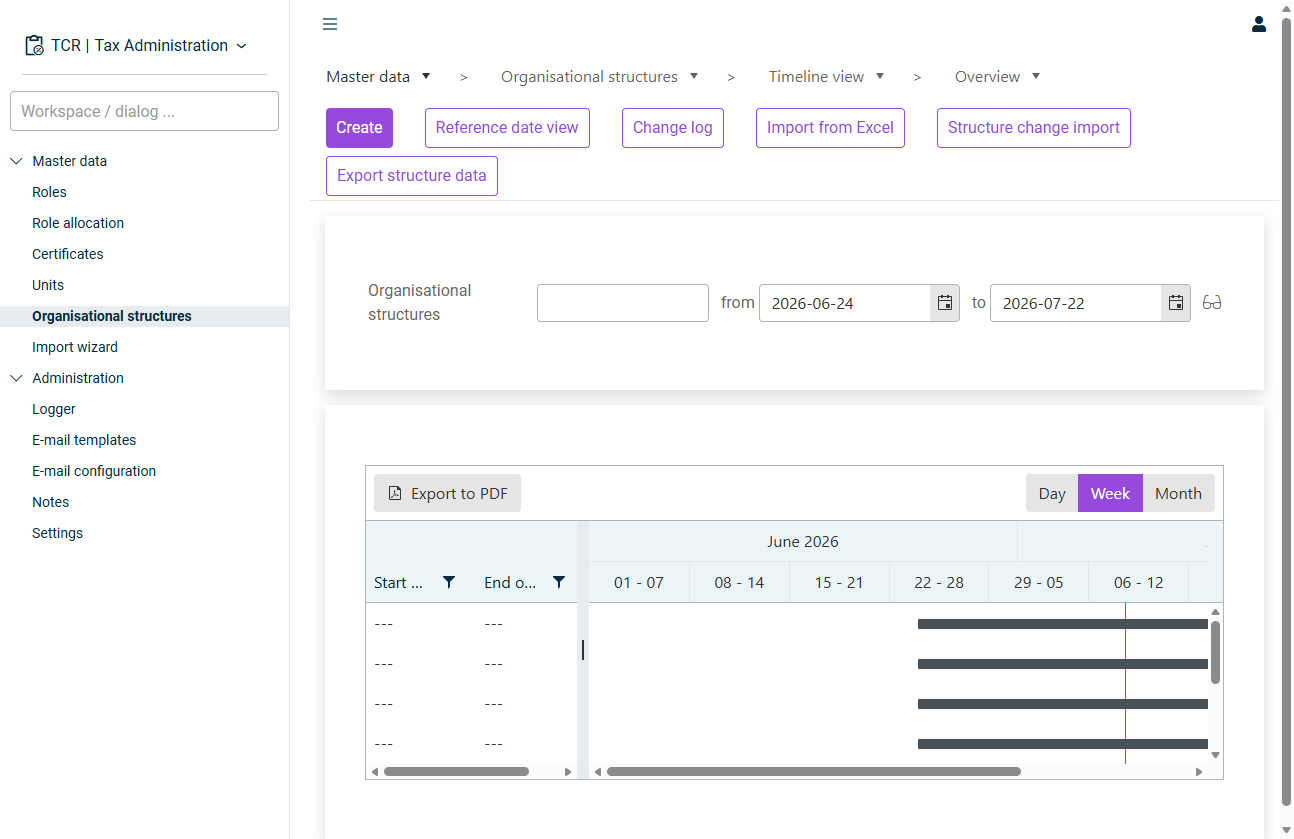
— a Gantt-style chart showing each structure as a horizontal bar across its validity period. Use theTimeline view toggle to change the granularity andDay / Week / Month to export the chart. When you select a structure, the toolbar additionally offersExport to PDF (add a new validity period / time state) andAdd (end the structure's validity).Terminate — a table that lists all structures valid on a selected reference date. Useful for comparing structure master data side by side at a specific point in time.Reference date view
— the ownership percentage held in that unit (for exampleParticipation amount for a wholly owned entity or100 % for a jointly held one).50 % — whether the unit isConsolidation oractivated in the structure.deactivated
Validity periods should overlap only when explicitly intended. Use the timeline to verify that two competing structures do not unintentionally overlap. Changes are recorded in the change log. Use the button to open the history.Change log Use to bulk-load structures,Import from Excel to load structure changes, andStructure change import to export the current state (which also serves as an import template).Export structure data
Last updated on Sep 1, 2026