The E-mail templates workspace allows you to create templates for e-mails for specific intentions. These templates are triggered by events, expanded/enriched with appropriate content, and sent to users of Income Taxes.

The E-mail templates workspace can be found under Tax Administration | E-mail templates.

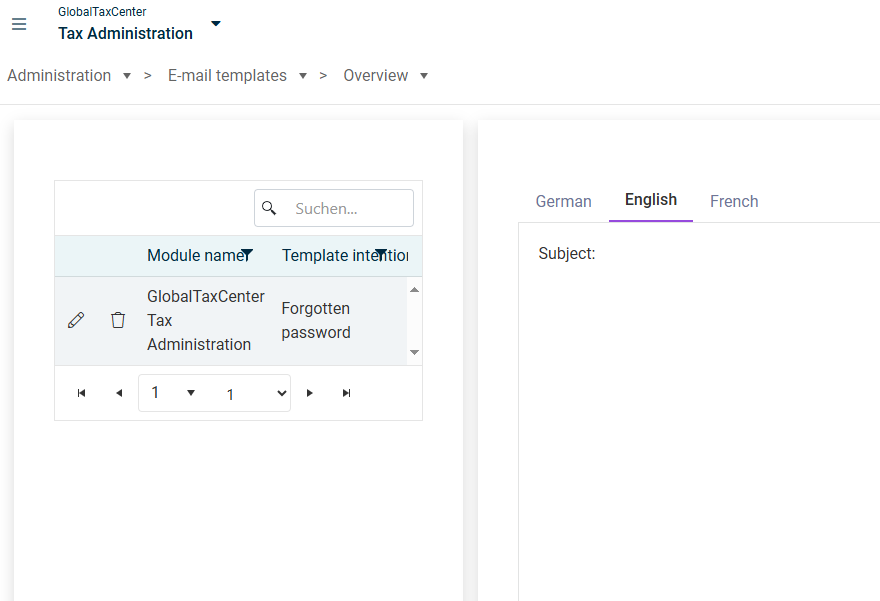
The E-mail templates workspace is displayed as follows, for example:

'E-mail templates' workspace

The table displays the e-mail templates that have already been created. The following options are available:

  • Click the icon to delete an e-mail template.
  • Click the icon to edit an e-mail template.
  • Click on a row in the table to display a preview of the template on the right side of the workspace. You will find the language-specific templates on the respective tabs – provided they have been defined.
To create a new e-mail template:

1

In the E-mail template workspace, click Create.

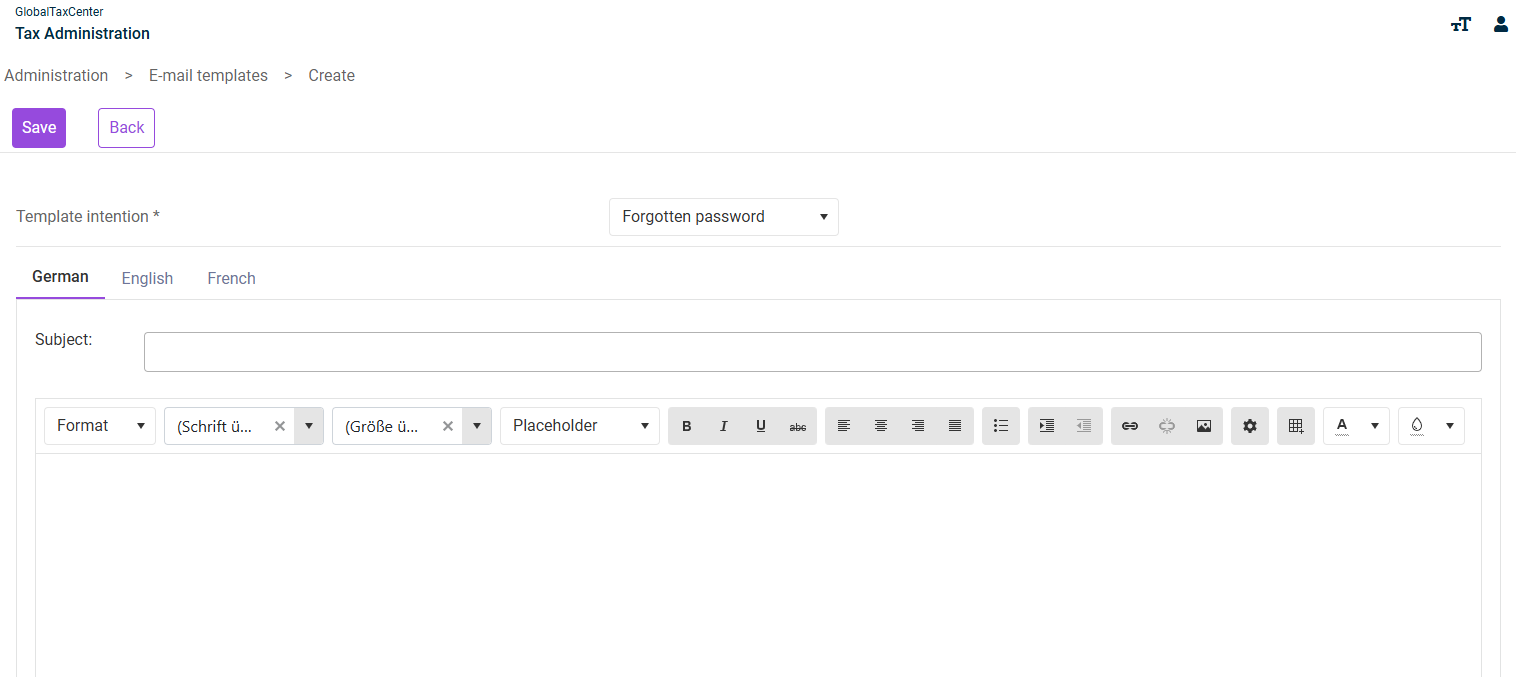
Note: If the Create button is not displayed, you have already created a template for all available template intentions. In this case, you can only edit or delete an existing template. The following area is displayed:

Create E-mail template
2

Select the desired template intention from the drop-down list.

3

Enter an appropriate e-mail subject for this template intention in the Subject field.

4

Format the e-mail in the text editor using the available text formatting tools.

5

If necessary, use the tabs German , English and French to create additional language-specific templates.