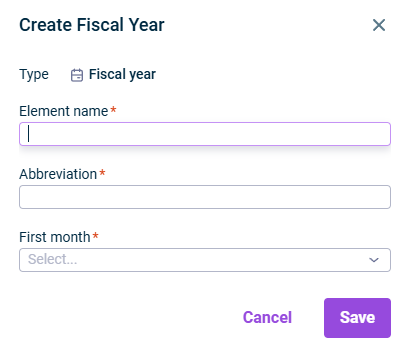
Choose Create | Fiscal year from the context menu . The Create Fiscal Year dialog is displayed:
Creating a fiscal year
3
Enter the name and the fiscal year abbreviation. The abbreviation is displayed when you specify the period in the dimension bar.
4
Choose the first month of the fiscal year from the drop-down list. If there is already a fiscal year that starts with this month, an error message is displayed.
Click the name of the fiscal year in the tree view.
2
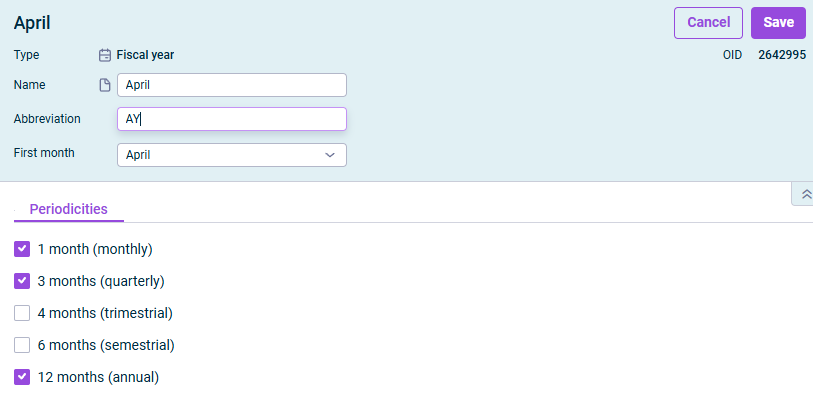
Click Edit at the top right to open the editing mode.
Editing a fiscal year
3
If needed, change the name, abbreviation and the first month of the fiscal year.
4
On the Periodicities tab, specify which time views will be available in the dimension bar of account hierarchies and schedules. By default, the periodicities monthly, quarterly, and annual are preselected.
5
Click Save.
This content was generated using AI and reviewed by Lucanet subject matter experts before publication.