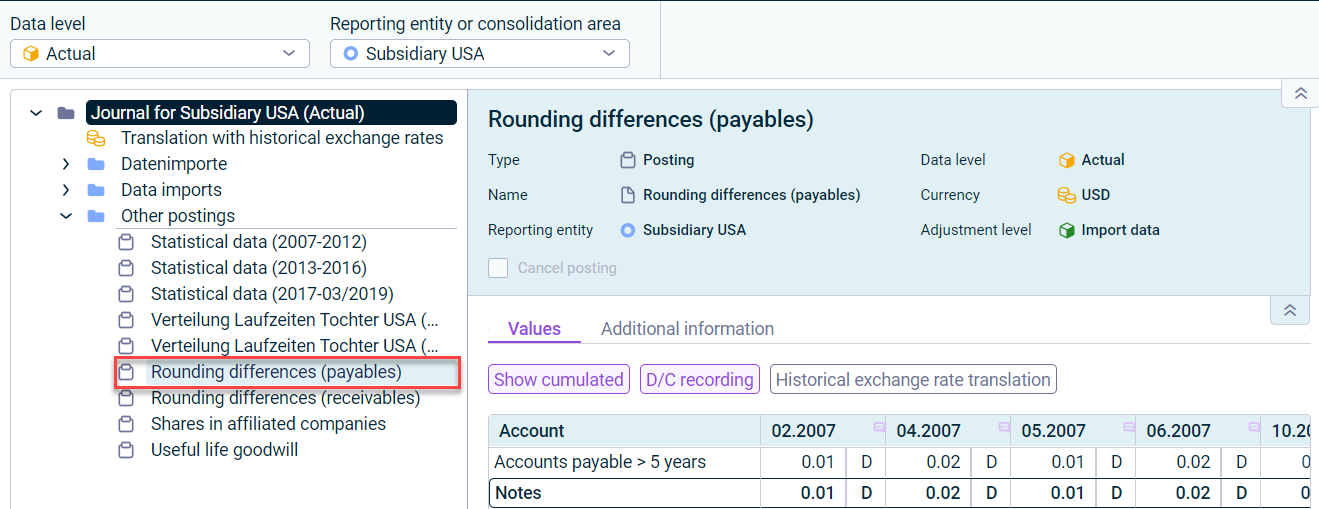
The Journals workspace contains all postings. In addition to postings and data imports, the workspace also contains elements for (wizard-supported) planning and consolidation.
The following postings are displayed in the Journals workspace:
Posting type
Description
Posting
In Consolidation & Financial Planning, you can display all postings for reporting entities and consolidation areas for each journal.
Posting via MS Excel
As soon as Excel plannings or postings are imported into Lucanet.Financial OLAP Server using CFP Add-In for Excel 365, the automatically generated postings are displayed in the Journals workspace.
Data imports
All data that is imported into reporting entities is transferred to the current Lucanet database using data imports. Data imports are displayed in Consolidation & Financial Planning as a posting in the journal.
Translation with historical exchange rates
The Lucanet CFO Solution Platform displays postings of type Translation with historical exchange rates. In the Translation with historical exchange rates posting, the translation is defined for accounts with historical exchange rates. If translation with historical exchange rates is defined for an account, the value which has been calculated originally using the current exchange rate is cleared and then the value which has been calculated using the historical exchange rate is posted.
Postings created by apps
As soon as an app is run as part of Consolidation 2 or within a directory structure, the automatically generated app entries are displayed in the corresponding journal.
Sheets
Postings that are automatically created as part of the Sheets configuration (see Planning Using Sheets).
The following properties are displayed in the detail view of postings:
Property
Description
Type
Type of the posting
Name
Posting name
Reporting entity
Reporting entity in which the posting was created
Data level
Data level in which the posting was created
Currency
Currency in which the posting values are displayed
Adjustment level
Adjustment level in which the posting was created
Data import
Name of the data import (only for the Data imports posting type)
Cancel posting
You can use the Cancel posting function to reverse a manually created posting. The cancellation can be cumulative after the last month or after each month.
The properties Currency, Adjustment level, Data import, and Cancel posting are not displayed in postings of type Translation with historical exchange rates.
On the Values tab, you can configure the value display using the posting mask.
Options in a posting mask
The following functions are available in the posting mask:
Function
Description
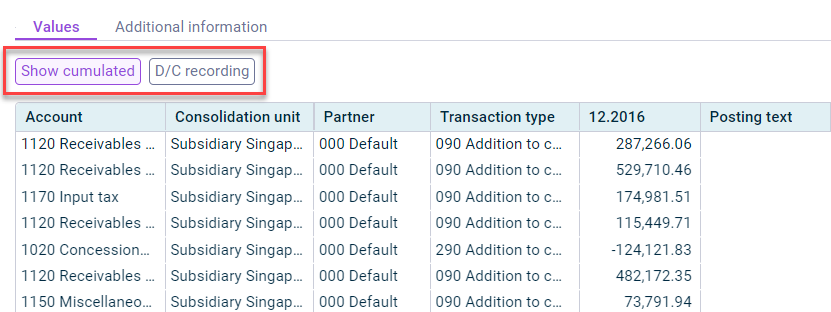
Show cumulated
Activating the Show cumulated button displays cumulated values in the posting columns. This displays the total for all posting times. If this button is not activated, all values of the posting entries for a posting or the times for a data import are listed separately.
D/C recording
The D/C recording button can be used to switch the view from plus and minus recording to the entry of accounting values in debit and credit.
Historical exchange rate translation
If a translation with historical exchange rates is defined for a posting value, the value calculated originally using the current exchange rate is balanced and the value calculated using the historical exchange rate is posted. The Historical exchange rate translation button can be used to display the historical exchange rate translation for values.
The Historical exchange rate translation button is only displayed if at least one currency translation has been configured in a reporting entity or consolidation area.
This content was generated using AI and reviewed by Lucanet subject matter experts before publication.