Financial data, planning assumptions, and consolidation entries are often complex. Using the Additional information tab, you can add notes and file attachments directly to elements in Consolidation & Financial Planning (CFP). This allows you, for example, to clearly document why you made certain adjustments, what assumptions underlie a plan, or which supporting documents are relevant.
Your team members can view this information at any time and build on it.
The content on the Additional information tab in CFP differs from the content on the corresponding tab in Lucanet.Financial Client. This means that the content is only visible in the environment in which it was entered.
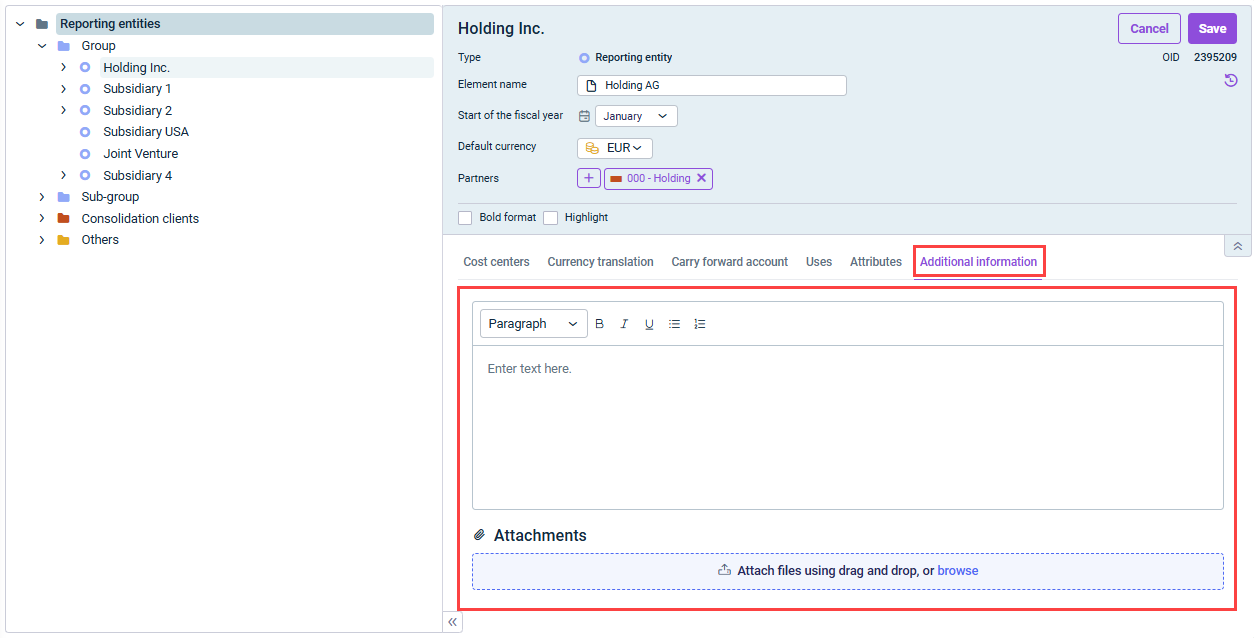
To add additional information to an element in CFP, open the Additional information tab in the element's detail view and click Edit. The tab is displayed as follows, for example:
'Additional information' tab
In edit mode, you can add additional information in the form of text using the text editor and/or as file attachments.
This content was generated using AI and reviewed by Lucanet subject matter experts before publication.