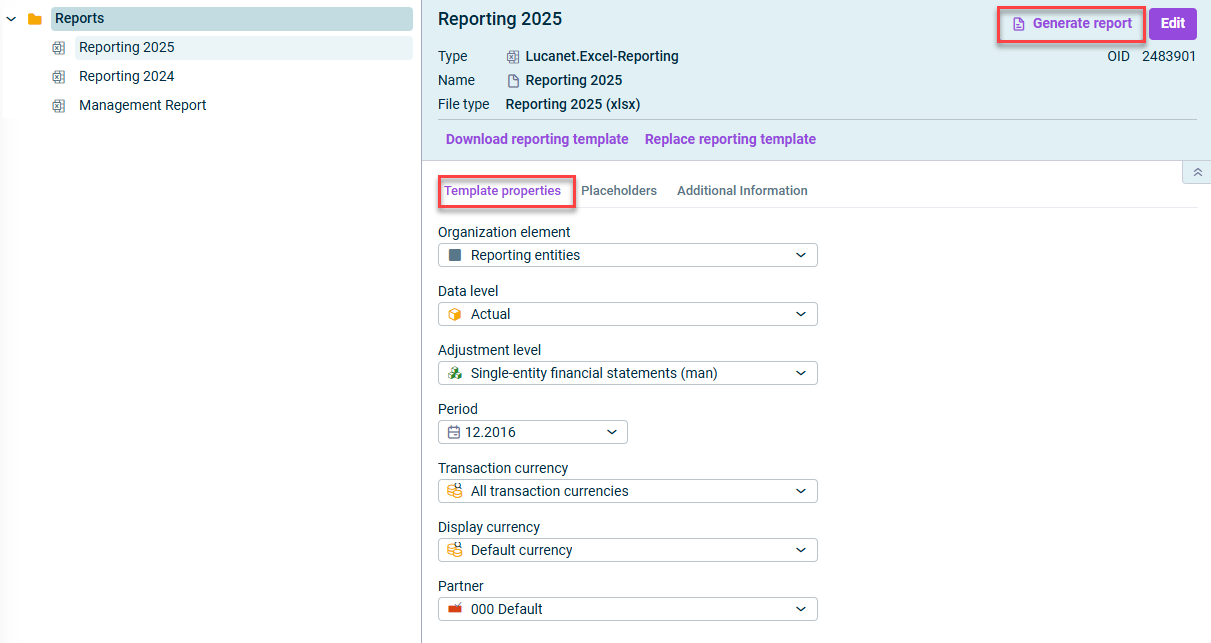
Based on the reporting template available in Lucanet and the tilde formulas it contains, an Excel report with the current data from Lucanet can be generated.
When a reporting template contains placeholders for organization element, data level, adjustment level, partner, transaction currency, display currency and/or period, you can configure for each of these placeholders whether a value is fixed for the report or can be selected as required.
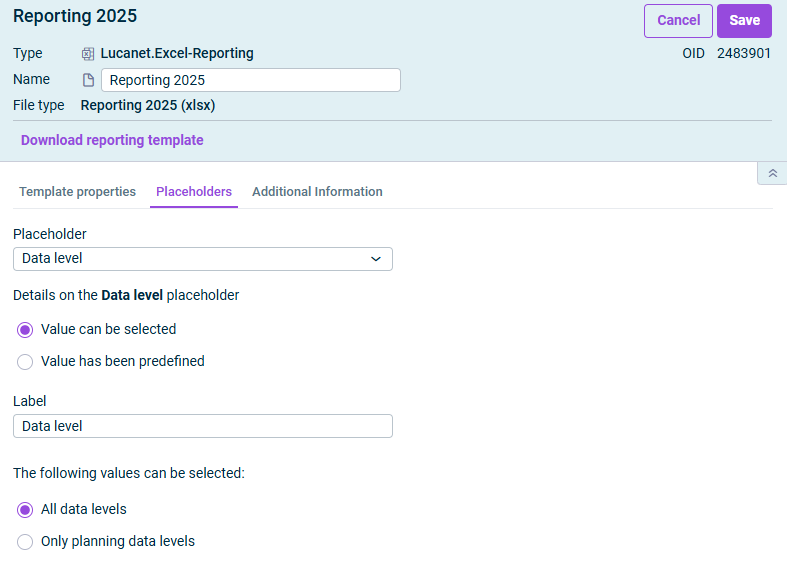
To do this, open the Placeholders tab and select the desired placeholder from the drop-down list.
Then configure the displayed options, which differ depending on the selected placeholder:
'Placeholders' tab
The following options are available:
Option
Description
Value can be selected
Activate if the value for the placeholder should be configurable before report generation and then enter a label.
Value has been predefined
Activate if the value should not be selectable. If you choose this option, a report can only be generated for the specified period and/or the default value.
The following values can be selected
Only available for data levels. Specifies whether All data levels or Only planning data levels can be selected for report generation.
Periodicity
Only available for periods. Defines whether a month, a quarter, or a year can be selected for report creation.
Period count
Only available for periods. Count of periods covered by the report. When generating the report, the user can then specify the report period instead of selecting the report start period.