On this page, you will find information about disposition groups in Lucanet Banking & Cash Management (BCM). A disposition group defines which bank accounts BCM manages together. The disposition group links multiple accounts with a disposition method and defines under which conditions BCM transfers funds between these accounts.
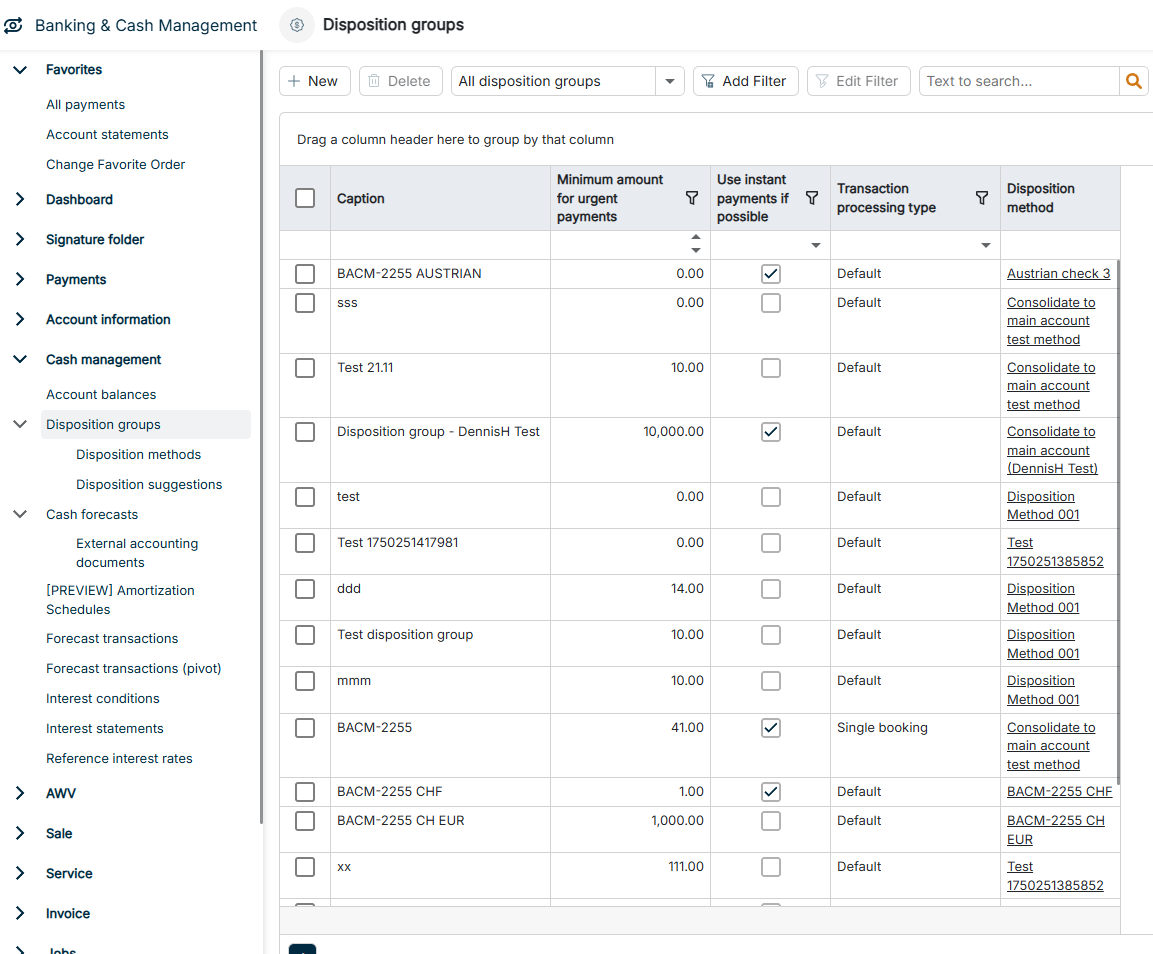
The Disposition groups workspace can be found under Banking & Cash Management | Cash management | Disposition groups and is displayed as follows, for example:
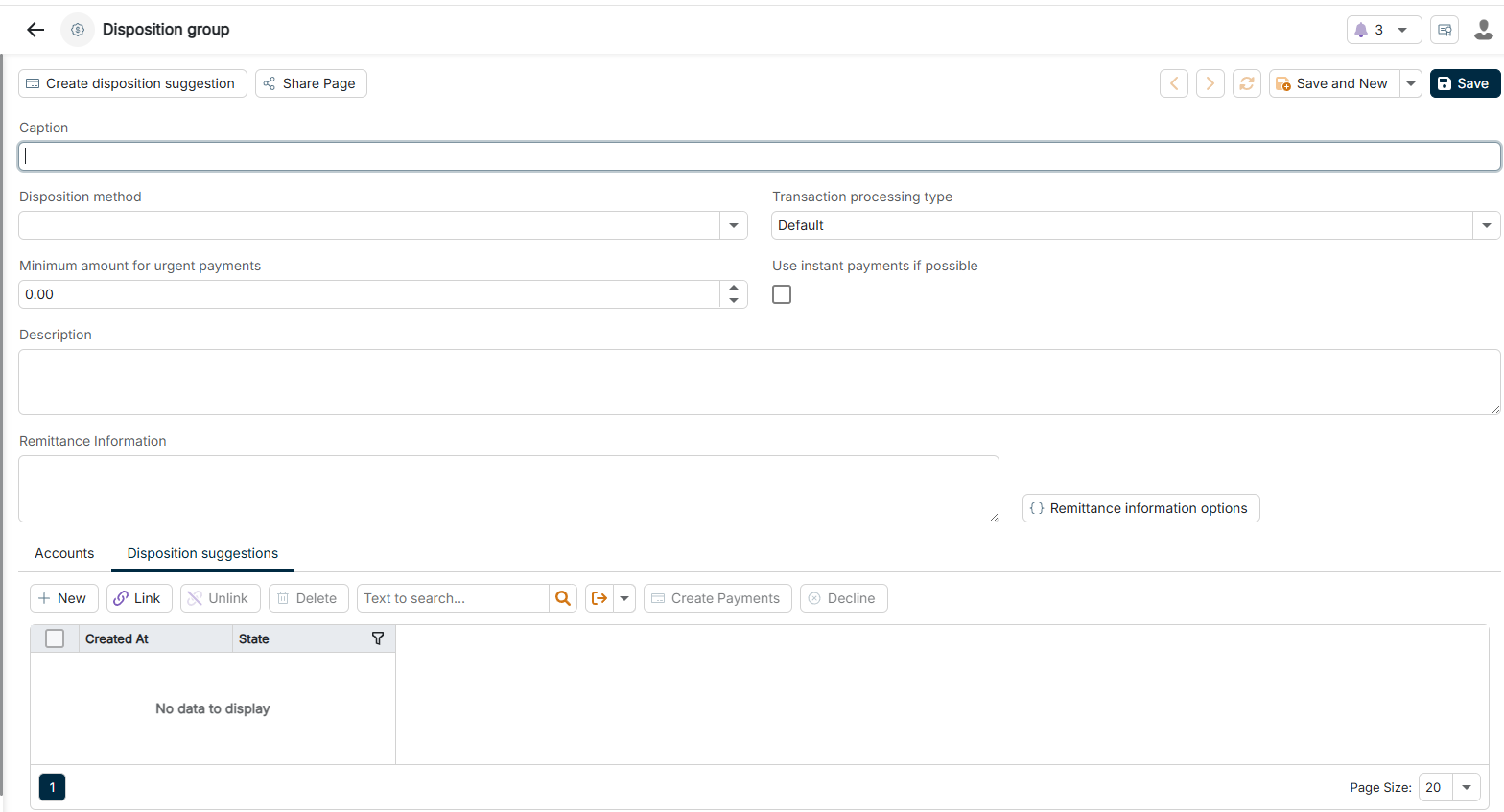
The basic data of a disposition group contains the following options:
Option
Description
Caption
Unique name of the disposition group, for example European Liquidity Pool. BCM displays the caption in the list view and when assigning disposition suggestions.
Minimum amount for urgent payments
Threshold in the account currency from which BCM executes cash pooling payments as urgent payments. BCM executes amounts below this value as standard credit transfers. Urgent payments take the cut-off times of the banks into account.
Disposition method
Disposition method that BCM applies to the accounts of the group. The disposition method defines how BCM distributes liquidity: even distribution, consolidation, or debit balance reduction. You create disposition methods in the Disposition methods workspace.
Description
Optional description of the purpose and scope of the disposition group
Remittance information
Remittance information for the payments that BCM creates from the disposition suggestions of this group
Remittance information options
Opens the options with which BCM automatically inserts date variables based on the due date into the remittance information. Optionally, you add a prefix or a suffix. When you activate the automatic insertion, you can no longer edit the Remittance information field manually.
On the Accounts tab, you activate the check boxes of the bank accounts that BCM manages in this disposition group. BCM can only manage accounts that are connected to a bank, for example via EBICS. The accounts must be created in the Master data functional area.
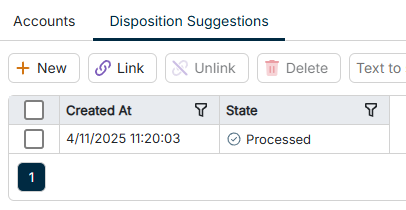
The Disposition suggestions tab displays all disposition suggestions of this disposition group with the creation time in the Created at column and the status in the State column. You can review, edit, approve, or decline individual disposition suggestions. When you approve a disposition suggestion, BCM creates a payment order from the suggestion.
Using the + New button on the tab or Create disposition suggestion in the toolbar of the disposition group, you create a disposition suggestion for this group manually. Using Link and Unlink, you assign existing disposition suggestions to the group or remove the assignment.
'Disposition suggestions' tab of a disposition group
This content was generated using AI and reviewed by Lucanet subject matter experts before publication.