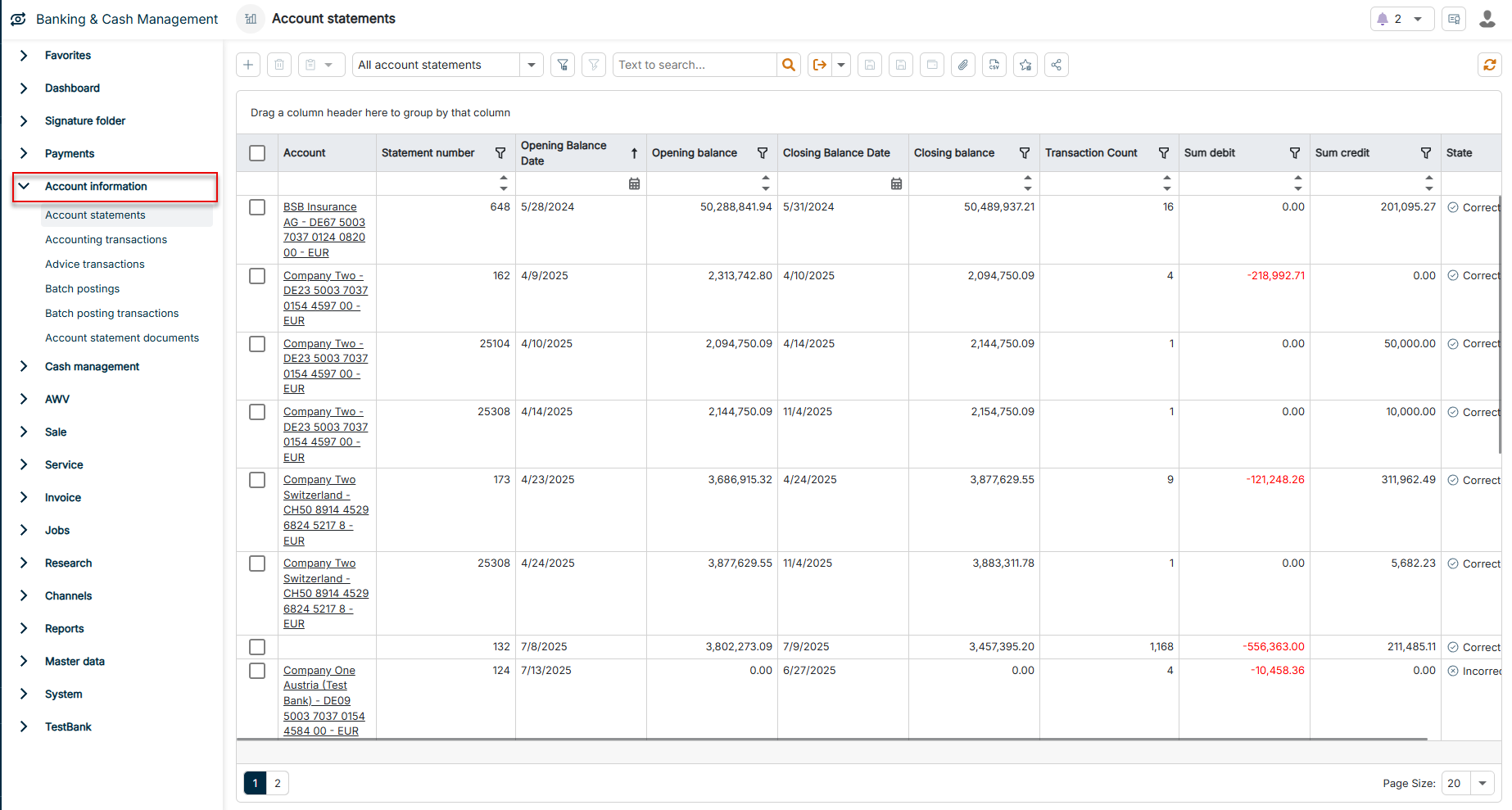
The Account information functional area provides a central overview of all bank-related transaction data and account statement information in Lucanet Banking & Cash Management (BCM). Here you can view, sort, and filter imported bank data and use it for further processes.
The following workspaces are available in the Account information functional area:
Workspace
Description
Account statements
The Account statements workspace displays each imported account statement as a separate row — one period per account and statement number. BCM generates account statements automatically when importing bank data, for example in the MT940 or camt.053 formats. You can also create an account statement manually if the bank does not deliver an electronic statement or if you want to record a correction statement.
Use this workspace to check the complete account statement history, to filter statements by Account or Statement number, and to switch to an individual statement in order to open the associated individual transactions.
Via the Show selected records in a report drop-down list in the toolbar, you can also output the Account statement report.
Accounting transactions
The Accounting transactions workspace lists all posted individual transactions across all accounts and banks with posting details. Use this workspace to trace individual transactions, to search remittance information, to flag AWV reporting obligations, or to reconcile transactions against open payments.
Via the Show selected records in a report drop-down list in the toolbar, you can also output the Transaction and Transaction List reports.
Advice transactions
The Advice transactions workspace displays transactions that the bank has already reported but not yet finally posted. Advice transactions affect the available balance and can be recognized by the Booking state. BCM typically fills the advice transactions from intraday account information, for example MT942 or camt.052. Use this workspace to assess the expected liquidity situation before the advice transactions appear in the regular accounting transactions on the following day.
Batch postings
The Batch postings workspace displays aggregated postings with which banks settle several individual items in a single account movement — typically for SEPA bulk credit transfers, SEPA bulk direct debits, or wage and salary runs. Use this workspace to identify a batch posting and to switch via the Debit credit notification reference to the individual items it contains in the Batch posting transactions workspace.
You can control the import of the individual items in the Bank profile under Master data | Bank profiles: If you activate No import of salary payments (SALA) there, BCM imports batch postings with the payment purpose SALA (salary) only as a batch posting — the individual salary payments are explicitly not imported and are therefore not displayed. For this, the account information must be available in the camt format (ISO 20022); the older MT940 format does not contain individual items.
Batch posting transactions
The Batch posting transactions workspace displays, across all accounts and banks, the individual items that are aggregated in a batch posting — one separate row per beneficiary or payer.
Use this workspace to trace which recipients or payers are contained in an individual batch posting, or to search for a specific end-to-end reference within batch postings.
Account statement documents
The Account statement documents workspace contains the monthly statements that the bank provides as PDF documents — the so-called BKA data. These PDF statements are independent of the account statements in the camt format: Banks are obliged to provide companies with the account statements once a month.
Use this workspace to download original documents for archiving, to pass statements on to accounting, or to prove the original state delivered by the bank in case of queries. Like account statements, you can also archive account statement documents and thereby hide them from the active lists.
This content was generated using AI and reviewed by Lucanet subject matter experts before publication.