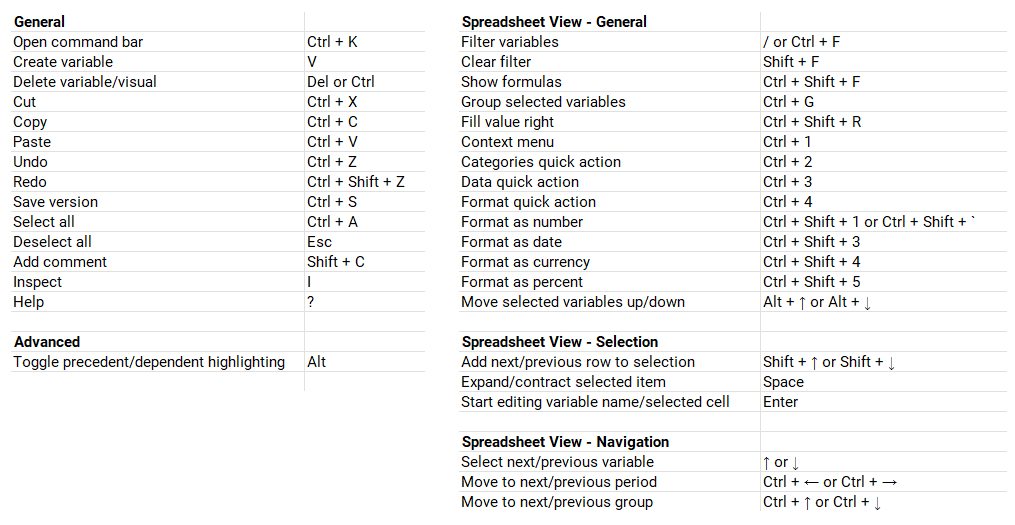
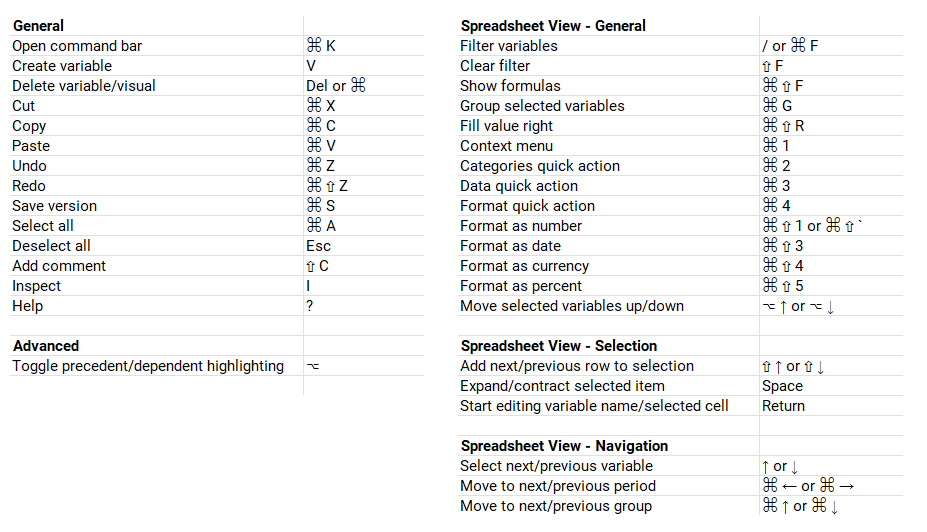
Keyboard shortcuts are crucial to your efficiency when building or navigating models in Lucanet xP&A (Extended Planning & Analysis).
Below is a list of the shortcuts currently available in xP&A, split by Windows and Mac.
The Command bar is the biggest shortcut of them all. It allows you to perform a variety of actions at your fingertips with only one shortcut: Ctrl+K (⌘K on Mac)
In the command bar you can do things like:
Change variable(s) unit and formatting (precision, magnitude)
Switch between models, views, workspaces, dashboard, or scenarios
Add variables to views, add scenarios, dimensions, or visuals