In the Balance Sheet Structure workspace, you can import the balance sheet structure that is stored in the Income Taxes module of the Tax Compliance & Reporting solution into Tax Balance. You can then store any adjustments made in Tax Balance at the individual company level and transfer them back to Income Taxes. For each adjustment, you can choose the target item in Income Taxes to which it is to be transferred.

The balance sheet structure is imported from Income Taxes in the form of a CSV file, whose structure is fixed and described in this chapter.

The Balance Sheet Structure workspace in Tax Balance is opened under Master Data | Balance Sheet Structure.

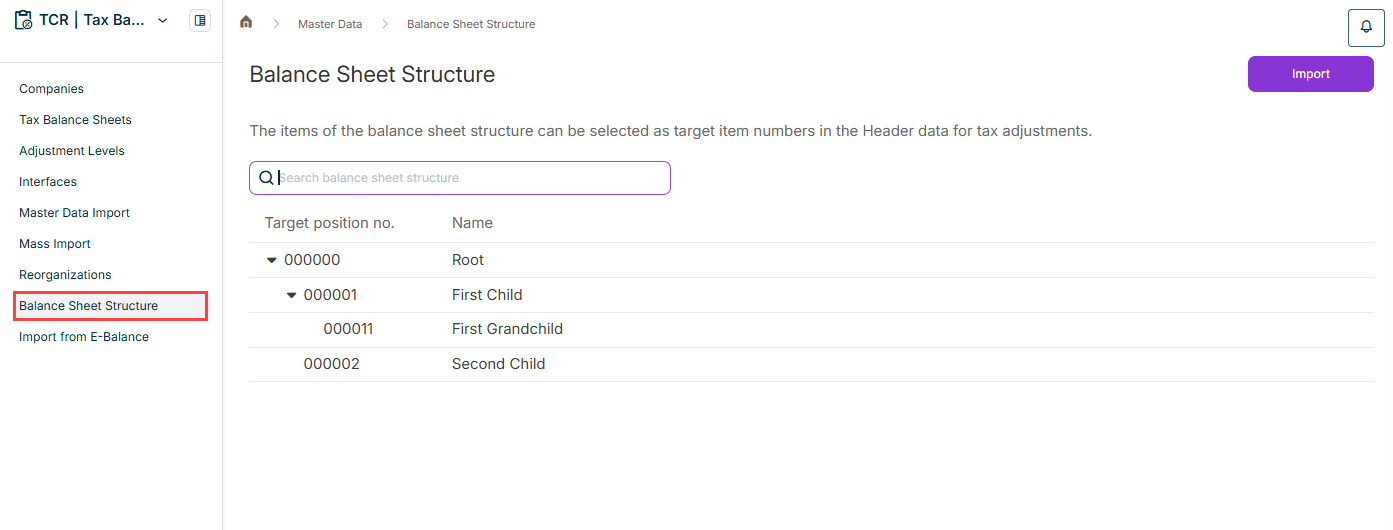
The workspace is displayed as follows, for example:

Shows the 'Balance Sheet Structure' workspace under 'Master Data' in Tax Balance with the 'Import' button, the note 'The items of the balance sheet structure can be selected as target item numbers in the Header data for tax adjustments.', the 'Search balance sheet structure' field, and a hierarchical table with the columns 'Target position no.' and 'Name' listing the items '000000' ('Root'), '000001' ('First Child'), '000011' ('First Grandchild'), and '000002' ('Second Child'). Highlighted in red is the 'Balance Sheet Structure' entry in the navigation.
'Balance Sheet Structure' workspace

To transfer the balance sheet structure from the Income Taxes module to Tax Balance in the form of a CSV file:

1

In the Balance Sheet Structure workspace, click Import.

2

Click Choose file to add the file to be imported.

3

Click Import.

Note on the Structure of the CSV File

  • The file must have the following structure:
    • Column 1: Item no.
    • Column 2: Name of the item
    • Column 3: Item no. of the parent item
  • The cells in the columns for the item no. or the name of the item must not be empty, otherwise they will be discarded.
  • The file must contain exactly one top item with an empty parent item.
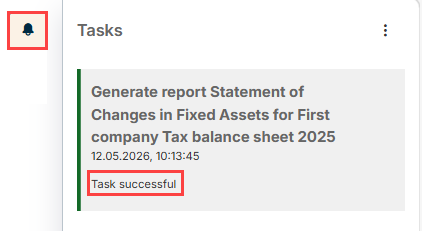
The job monitor in Tax Balance displays the state and details of the import:

Shows the 'Tasks' panel of the job monitor in Tax Balance with the task 'Generate report Statement of Changes in Fixed Assets for First company Tax balance sheet 2025' from '12.05.2026, 10:13:45' and the status 'Task successful'. Highlighted in red are the bell icon and the 'Task successful' status.
Job monitor

This content was generated using AI and reviewed by Lucanet subject matter experts before publication.