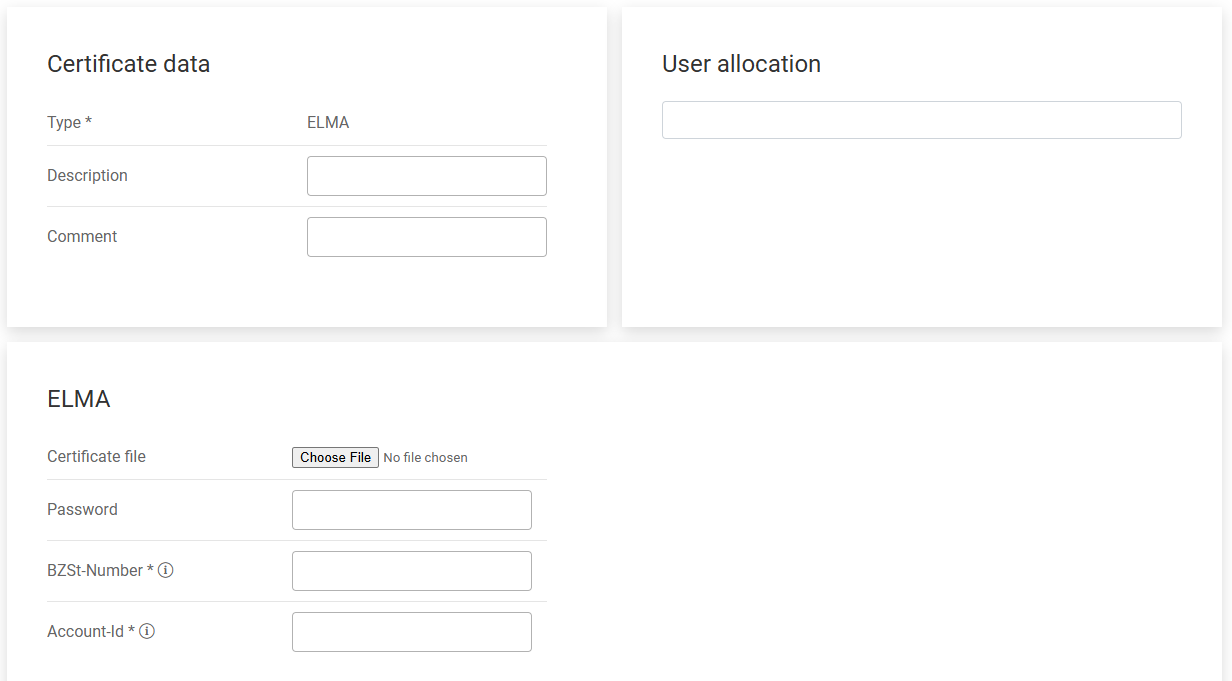
Specify the following in the User allocation and ELMA areas:
Option
Description
User allocation
In the User allocation area, you can assign the certificate to multiple users. You can assign only one certificate of one type to each user. For example, if you have created two ELMA certificates, you can assign only one of the two ELMA certificates to user A.
Certificate file
Select a certificate file of the PEM file type.
Password
Please enter the password associated with the certificate.
Specify the following in the User allocation and ELSTER areas:
Option
Description
User allocation
In the User allocation area, you can assign the certificate to multiple users. You can assign only one certificate of one type to each user. For example, if you have created two ELSTER certificates, you can assign only one of the two ELSTER certificates to user A.
Certificate file
Select a certificate file of the PFX file type.
Password
Please enter the password associated with the certificate.
Please specify the following in the User allocation and DIP areas:
Option
Description
User allocation
In the User allocation area, you can assign the certificate to multiple users. You can assign only one certificate of one type to each user. For example, if you have created two DIP certificates, you can assign only one of the two DIP certificates to user A.
Client ID
Enter the client ID corresponding to the certificate.
Certificate file
Select a certificate file of the PEM file type.
Key File
Select a key file in PEM format that matches the certificate.
This content was generated using AI and reviewed by Lucanet subject matter experts before publication.