
In the API-Tokens area of your profile, you generate and manage API tokens. An external system uses an API token to authenticate its requests to the Tax Data Hub, for example when importing data via an interface.

The My Profile page is provided by Tax Administration for all Tax Compliance & Reporting modules. You can use the same token for several interfaces.

1

Open the Tax Administration module.

2

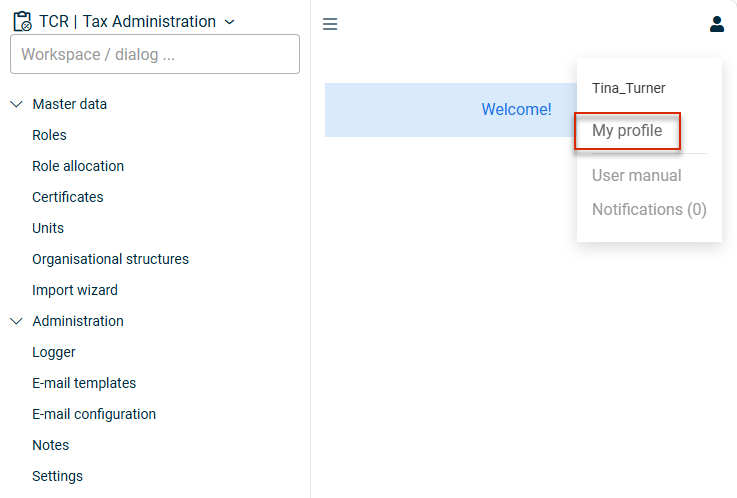
Navigate to My Profile:

Profile menu with the 'My profile' entry
3

Go to the API-Tokens area and proceed as described in the Configuring the 'API-Tokens' area section.

4

Click Save. The Validity column indicates whether the token is valid.

5

In the Copy API token column, click the copy symbol to copy the token to the clipboard.

In the API-Tokens area, click the plus symbol on the right to add a new row, and fill in the displayed input fields:

The 'API-Tokens' area with the input fields
FieldDescription
NameA short name for the token
DescriptionOptional description text. Can be left empty.
Expiration dateOptional expiry date. If the field is left empty, the token is valid indefinitely.
  • Keep the token secure and do not share it with others.
  • If you do not set an expiration date, the token remains valid indefinitely.
  • You can create several tokens for different external systems.