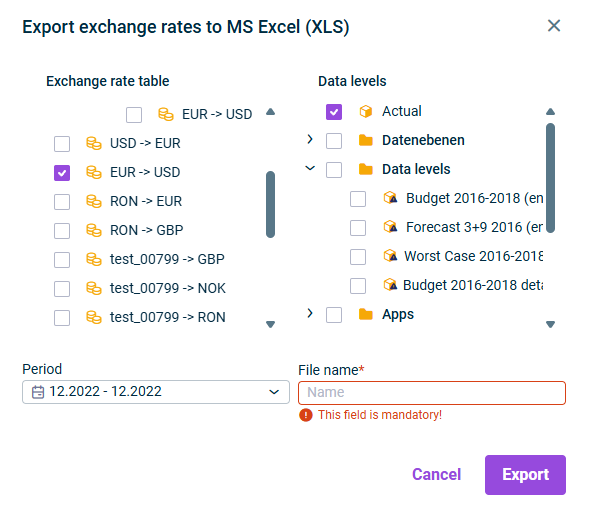
You can export the exchange rates contained in your exchange rate tables to MS Excel at any time.
To export exchange rates:
Right-click the root folder Exchange rate tables or an individual exchange rate table.
Select Export | Export exchange rates to MS Excel (XLS or XLSX) from the context menu . The Export exchange rates to MS Excel dialog is displayed:
Speficy the following:
Click Export.
Last updated on Aug 16, 2023