Data imports into reporting entities can be updated manually at any time, either individually or combined in folders.

1

Navigate to the respective data import in the Importing data into reporting entities workspace.

2

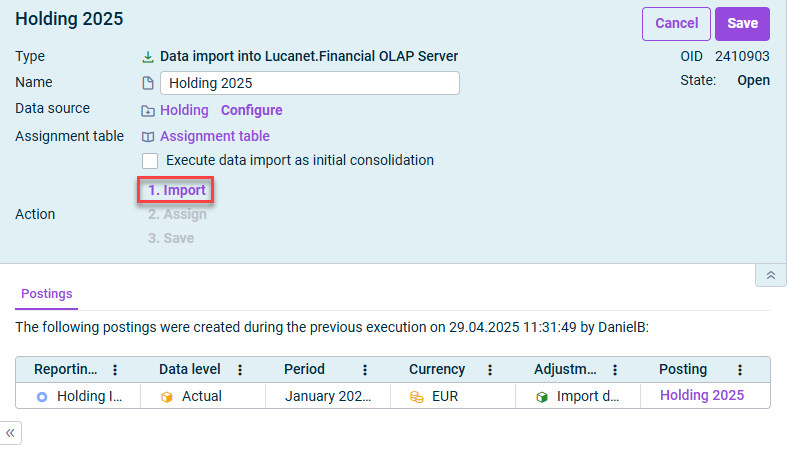
Open the edit mode and click 1. Import.

Displays the detail view of a data import. The command ‘1. Import’ is highlighted.
Updating individual data import
3

If necessary, specify configuration values in the displayed dialog.

4

Click Start.

To maintain an overview when there are many data imports (e.g. for partial imports for every department or branch), folders can be created. Several data imports can be combined in these folders.

All data imports that are combined in a folder can be updated together.

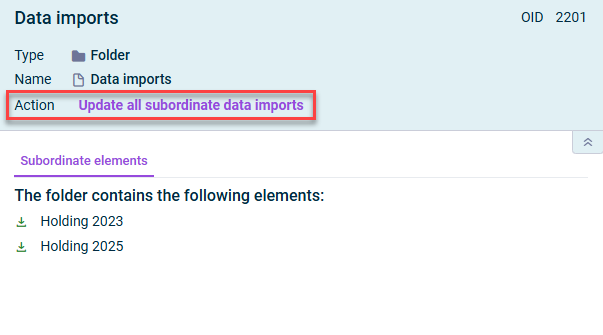
To do so, navigate to the respective folder and click Update all subordinate data imports:

Displays the detail view of a folder with data imports. The command ‘Update all subordinate data imports’ is highlighted.
Updating all data imports in a folder

Last updated on Aug 16, 2023