| My Details | The My Details workspace displays the basic data of your user account in BCM — for example, user name, name, language, limit group, and user type. On the tabs, you also manage your contact details, the two-factor authentication, and your EBICS keys and EBICS accesses. |
| Users | Central overview of all user accounts: For each user, the list displays, for example, the user type, the language, the last login, the settings for the two-factor authentication, and the approval state. In the detail view of a user, you edit the user's basic data, permissions, and contact details. |
| Roles | Roles grant access to the functional scope of the software — the function permissions. With these permissions, users create a SEPA credit transfer or view account information, for example.
A role is based on a Permission Policy and, building on it, bundles several types of permissions: access permissions to target types, navigation permissions, and deactivated functions. On the Users tab, you assign users to the role. You can import and export roles as XML files. |
| Permission classes | With permission classes, you segment the visibility of data records: You assign data records to a permission class and assign one or more permission classes to users. All users can see data records without a permission class. Only users to whom this permission class is assigned can see data records with a permission class. No restriction applies to users with the No permission class restriction setting. |
| Limit groups | Limit groups combine upper limits that you assign to users. A limit group can contain different limit types — for example, transaction limits, file/total limits, account limits, or company limits — and takes effect when the assigned user provides or signs payment orders. |
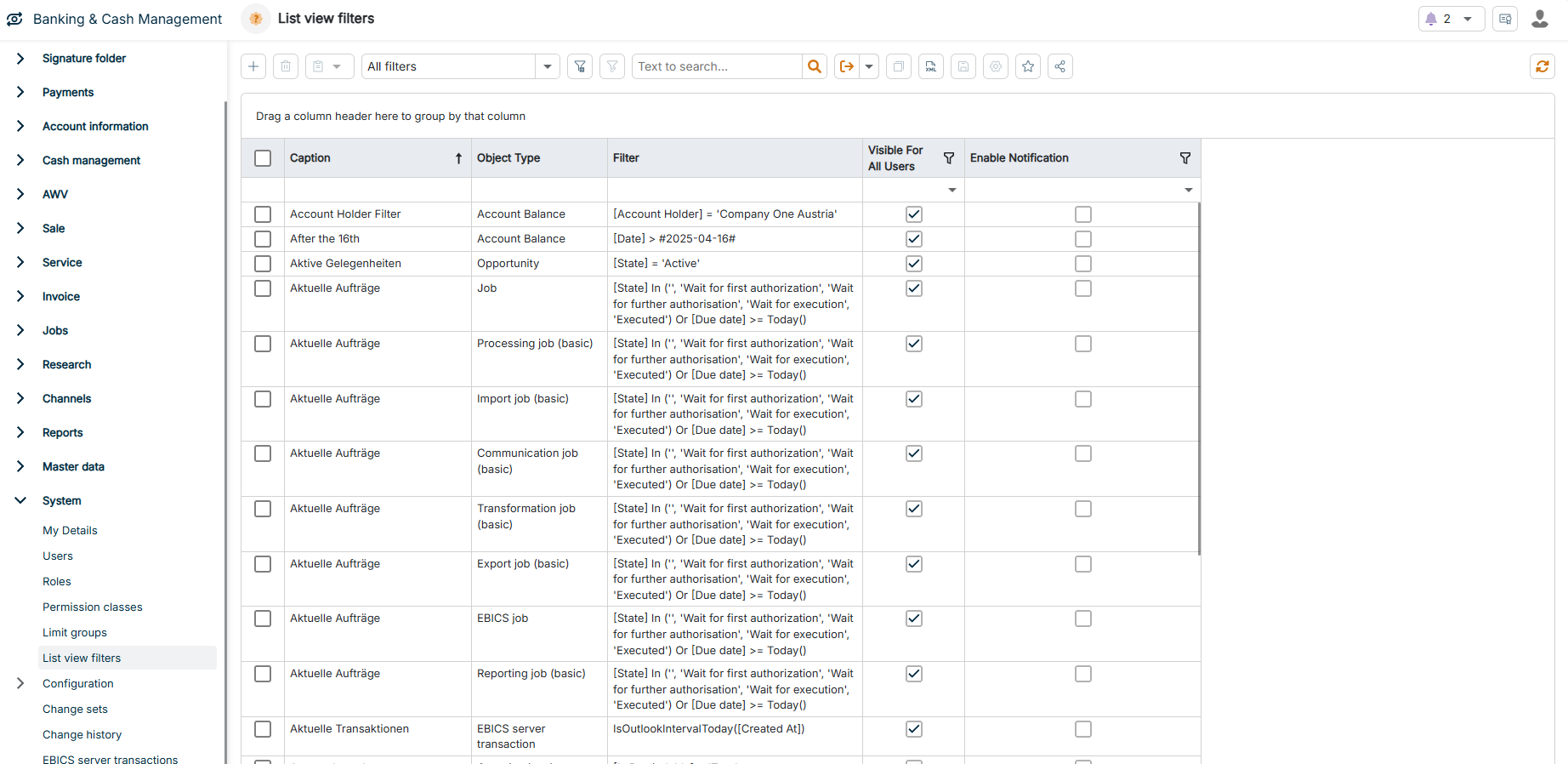
| List view filters | List view filters are saved, user-defined filters for list views. You create list view filters in this workspace or directly in the respective list and manage them centrally. You define which users can see a saved filter; at least the logged-in user must be selected. |
| Configuration | In the Configuration workspace, you define the system-wide settings for BCM. The configuration is divided into five subareas:
- Common: basic system settings that apply globally
- Security: settings for authentication, permissions, and security policies, for example, the four-eyes principle
- Communication: settings for the communication with banks and systems, for example, protocols and interfaces
- Payments: parameters for processing and controlling payment transactions
- Cash: settings for cash management and liquidity planning |
| Change sets | You track data changes within BCM via change sets. You first activate this function in the system settings. If it is activated, BCM creates a change set when a data record is changed directly and displays it in this workspace. Change sets record data changes according to the four-eyes principle — you approve or reject them. |
| Change history | Research in the change history of the data records. |